 Simulacra
Media viewer
Look at a post's images full size, step through them with the arrow keys and read their descriptions.
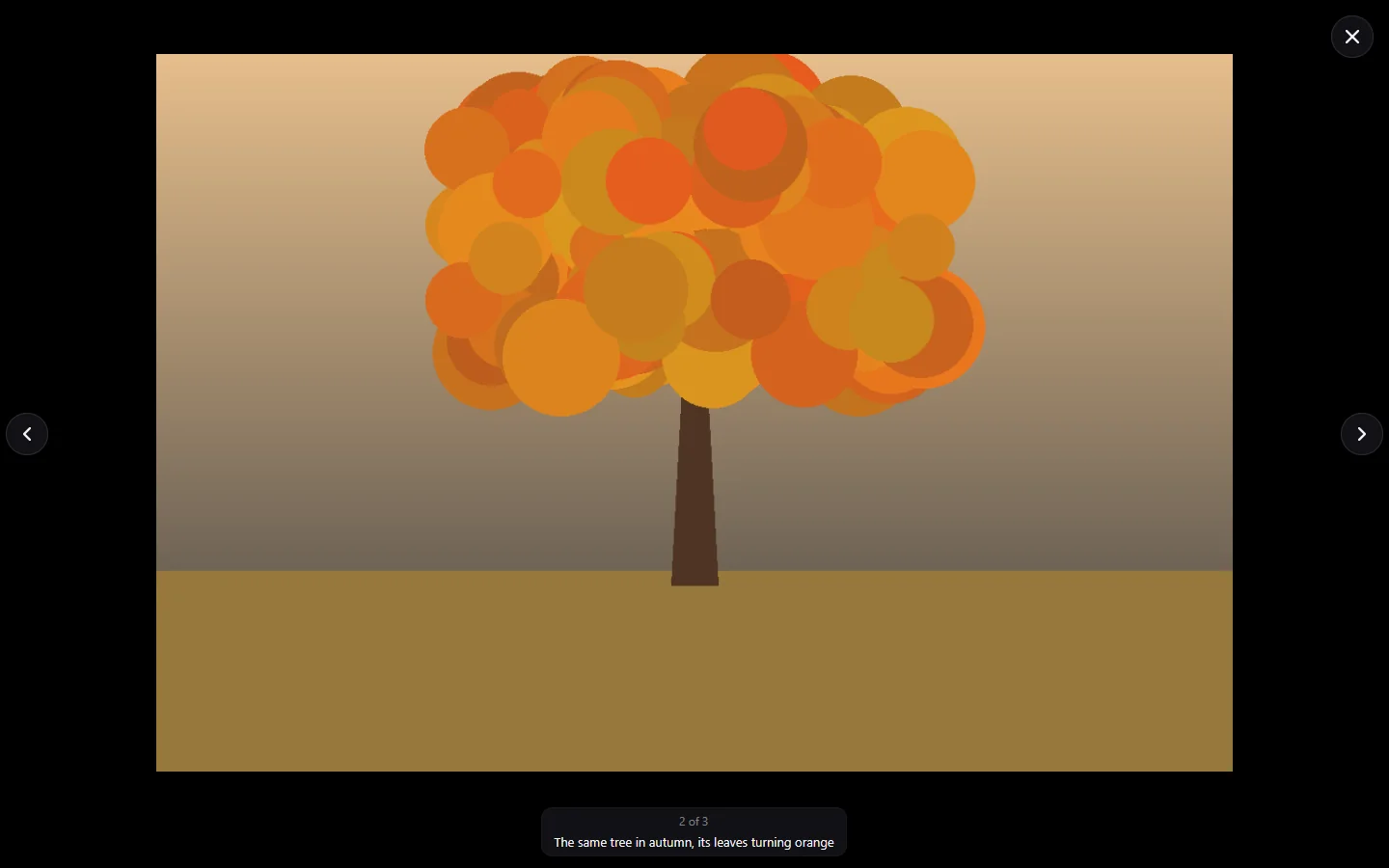
Click an image on any post card and it opens in the media viewer (lightbox): the image as large as the window allows, its description, and the post's other images one key press away.
Open it
Click any image in a post: a single image, a tile of a gallery, or an attached image file. The viewer opens on that image and takes the keyboard.
Anatomy
| Part | Where | What it does |
|---|---|---|
| Image | Centre | Fitted to the window, keeping its shape, on the app background. |
| Close | Top right | Closes the viewer. |
| Previous image / Next image | Left and right edges | Step through the post's images. Shown only when the post has more than one. |
| Caption | Bottom | 2 of 3 when there are several images, and the image's description (alt text) when it has one. Hidden when there is neither. |
Keys
| Key | Action |
|---|---|
| Esc | Close |
| ← | Previous image |
| → | Next image |
Stepping wraps around: next from the last image goes to the first. A click anywhere outside the buttons also closes the viewer.
Galleries on the card
How a post lays out its images before you open them:
- One image shows at its own shape; a tall image is sized by height.
- Two to four images form a two-column grid of tiles, cropped to fill.
- An image with a description wears an ALT badge in its corner.
- An image that cannot be loaded shows a placeholder and This image could not be loaded.
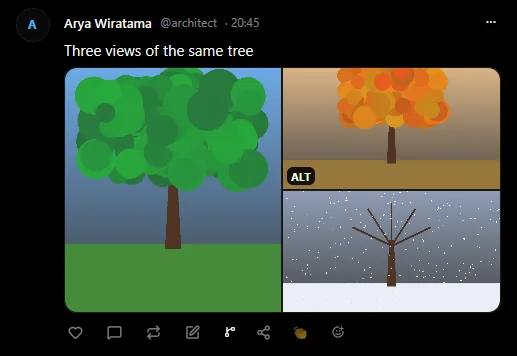
Feed cards draw a cached thumbnail when one exists; the viewer always shows the original file.
Write good descriptions
Add a description when you attach an image, in the Description (alt text) field under it in the composer (Attachments › Images). It is what the viewer shows under the image, and it tells anyone who cannot see the picture what it holds.
Tips and limits
- The viewer shows the images of one post at a time, at most four.
- Videos, audio and other files do not open in the viewer: their cards have Open or Play, which use your system's apps.
- Link preview images open the linked page, not the viewer.