 Simulacra
Journal
A private page for daily writing, mood check-ins, focus sessions and letters to your future self.
The Journal is the one place in Simulacra that is only for you. Write a daily entry from a prompt or a template, check in on your mood and energy, run a focus session, or seal a note to open months from now. Nothing on this page reaches the stream, search by meaning, Insights, the agents or any AI.
Open it
- Click Journal in the left sidebar.
- Press Ctrl8/⌘8.
- Run one of the palette commands below.
| Palette command | Opens |
|---|---|
| Journal | The page as you left it |
| New journal entry | The editor on a new entry with today's prompt |
| Log mood and energy | The Mood tab |
| Start a focus session | The Focus tab |
| New time capsule | The capsule form |
Anatomy

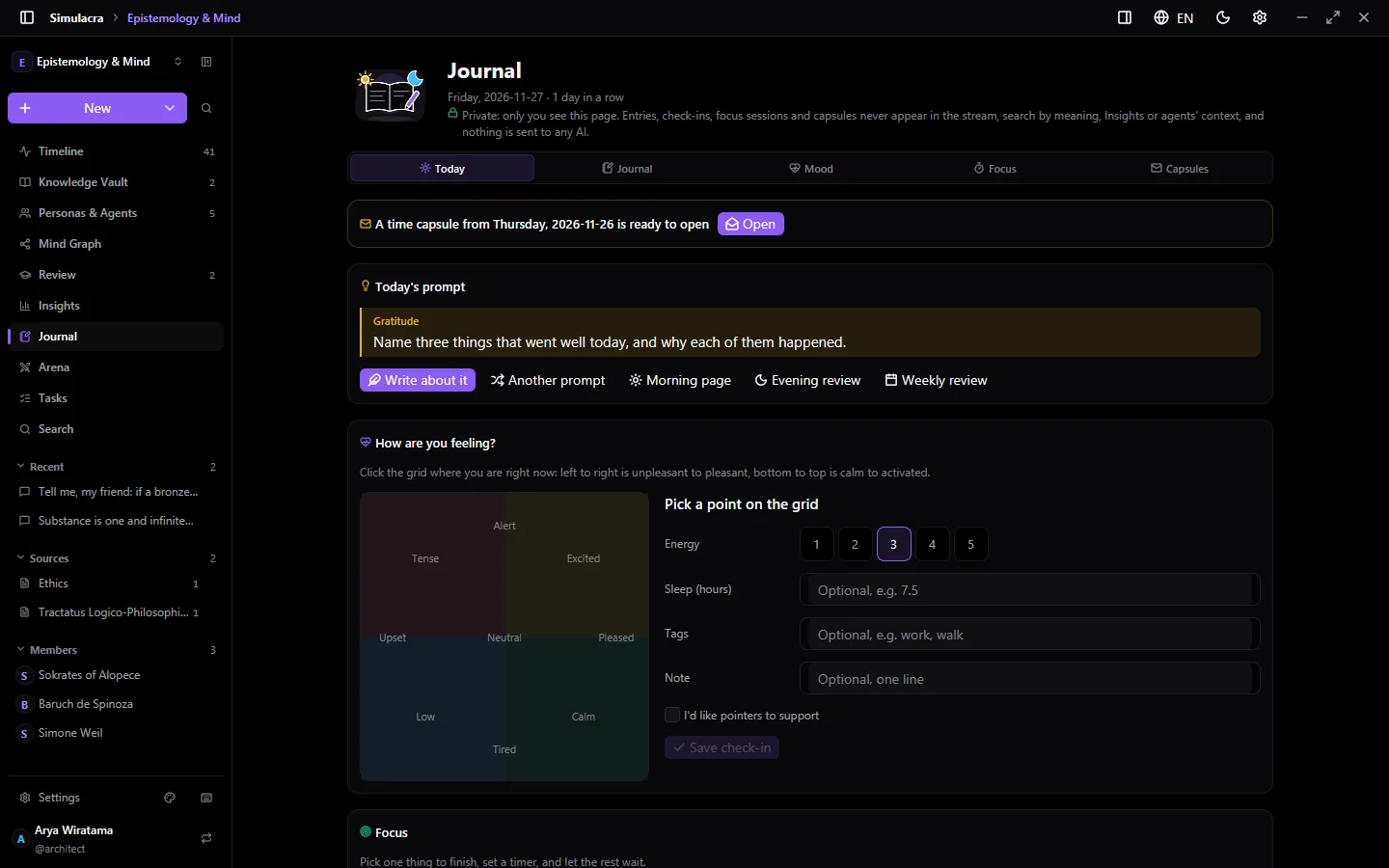
- Title and today. Under Journal, today's date, followed by "N days in a row" while you have a run of written days.
- The privacy note, with a lock: "Private: only you see this page. Entries, check-ins, focus sessions and capsules never appear in the stream, search by meaning, Insights or agents' context, and nothing is sent to any AI." See Privacy.
- The tabs. In a compact window they show icons only.
| Tab | What it holds |
|---|---|
| Today | Capsules ready to open, today's prompt, today's entries, the check-in and the focus card |
| Journal | Every entry, the search, the heat strip and your runs; the editor opens here. See Entries. |
| Mood | The check-in, charts and associations. See Mood and energy. |
| Focus | The focus timer and its log. See Focus sessions. |
| Capsules | Notes to your future self. See Time capsules. |
The Today tab
From top to bottom:
- Ready capsules: one line per capsule whose day has come ("A time capsule from … is ready to open") with Open.
- Today's prompt: the prompt's kind (for example Gratitude) and its text, with Write about it, Another prompt and the three templates (Morning page, Evening review, Weekly review).
- Written today: today's entries with their word count and Continue, once you have written one.
- How are you feeling?: the same check-in as on the Mood tab.
- Focus: "Pick one thing to finish, set a timer, and let the rest wait." with Start a focus session, or Back to the running session while one runs.
Journal days
A journal day ends at 04:00 local time, like a review day: an entry written at 01:00 still belongs to the evening before. Each day gets one prompt, kept all day; Another prompt steps to the next one, and a new day starts fresh.