 Simulacra
Entries
Write daily entries from rotating prompts or templates, link posts and documents, search them, and see your written days.
Entries are free Markdown writing, one or more per day. A prompt or a template gets you started; the heat strip and your runs show how often you write, without ever scolding you for a day off.
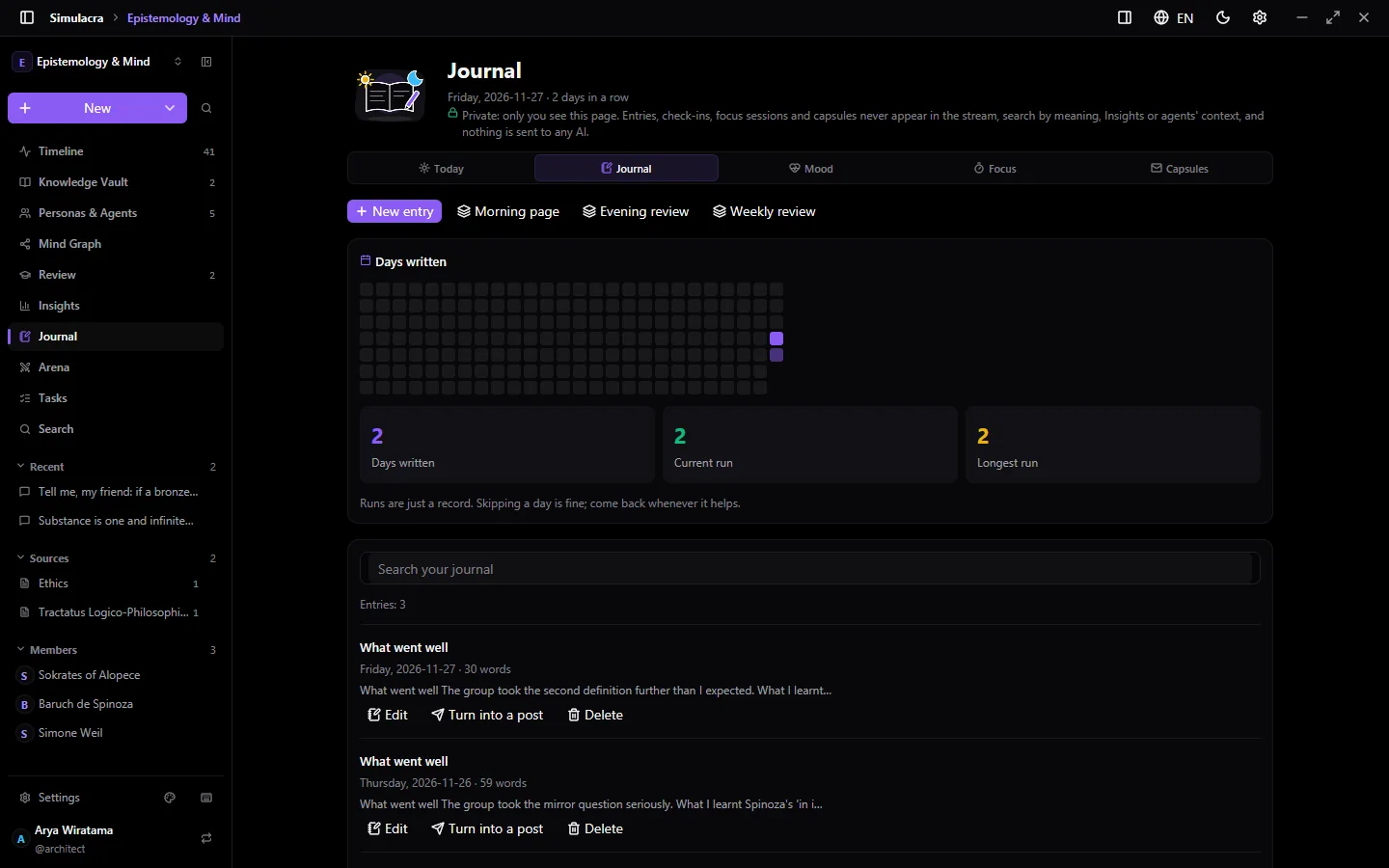
Write an entry
Start it
Pick one:
- Write about it on the Today tab: a new entry answering today's prompt, which shows above the text.
- New entry on the Journal tab: a blank entry.
- A template button: Morning page, Evening review or Weekly review.
- The palette command New journal entry.
Write
The editor opens on the Journal tab with the text field focused: "Write freely. Markdown works; link a post or a vault document with [[ and its id or title ]]."
Save
Click Save. The status beside the date changes from Not saved yet to Saved, and the editor stays open. Close saves and closes.
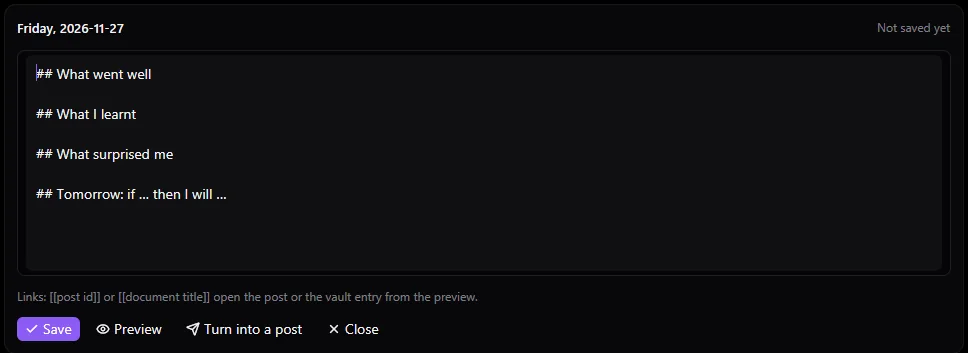
An entry with nothing but spaces is not kept. Editing an entry keeps its day and creation time.
Editor buttons
| Button | What it does |
|---|---|
| Save | Saves the entry; the editor stays on it |
| Preview / Write | Shows the text as it reads, with [[links]] as pills, or goes back to editing |
| Turn into a post | Opens the composer with the selected text, or the whole entry with no selection |
| Close | Saves, then closes the editor |
In the preview, a [[post id]] or [[document title]] pill opens that post or vault entry. The pill shows the post's opening words or the document's title.
Turn into a post copies the text into the composer on a new thread. Nothing is published until you post it there, as the persona you choose; the entry itself stays private.
Prompts
Prompts come from research on reflective writing. Each kind has two wordings; every prompt comes once in a cycle of twelve days, in a shuffled order, and two days in a row never share one.
| Kind | Tradition | Example |
|---|---|---|
| Expressive writing | Writing about thoughts and feelings (Pennebaker) | "What has been weighing on you lately? Write freely for a few minutes without correcting anything." |
| Gratitude | Counting blessings (Emmons and McCullough) | "Name three things that went well today, and why each of them happened." |
| If-then plan | Implementation intentions (Gollwitzer) | "Which obstacle do you expect this week? Write: if it shows up, then I will…" |
| What I learnt | Noticing what was learnt | "Which idea changed your mind a little today?" |
| What surprised me | Noticing surprise | "What turned out differently from what you predicted?" |
| Best possible self | The best possible self (King) | "Write about your best possible self in one area: work, relationships or health." |
Another prompt on the Today tab shows the next prompt for the rest of the day.
Templates
A template starts the entry with headed sections to fill in:
| Template | Sections |
|---|---|
| Morning page | Today's intention · Three priorities · I'm grateful for |
| Evening review | What went well · What I learnt · What surprised me · Tomorrow: if … then I will … |
| Weekly review | Highlights of the week · Lessons · What I'd change · Next week's intention |
Find an entry
Type in Search your journal. Only entries holding every word you type are listed (any case, any order), with a short excerpt around the first match. The count reads "Entries: N"; "No entry has all of those words." when none match. An empty search lists every entry, newest first.
Each row shows the entry's first line as its title, the day and the word count, with Edit, Turn into a post and Delete. Delete asks first: "The entry leaves your journal for good."
Entries can also be found from the command palette, under Journal entries, but only after you turn on Settings › Privacy & Data › Include journal in search. See Privacy.
Days written
The Days written strip shows one square per day, in week columns with Monday on top: 12 weeks in a compact window, 26 in wider ones. Hover a square for "day: N words". Beside it:
| Tile | Counts |
|---|---|
| Days written | Distinct days with an entry |
| Current run | Consecutive days ending today, or yesterday while today is still open |
| Longest run | Your longest run of consecutive days |
"Runs are just a record. Skipping a day is fine; come back whenever it helps." Today without an entry yet never breaks the current run.
Empty state
With no entries the tab shows Your journal is empty: "A few minutes a day is enough. Start from today's prompt or a template." with Write about it.