 Simulacra
Memory palace
Place review items and posts at the landmarks of imagined rooms, then walk the route and recall each one.
A memory palace (the method of loci) is a route through rooms you can picture. At each landmark you leave something to remember, with a vivid image to see there. Walking the palace visits the places in order: you recall what is placed, reveal it and grade it, and a placed review item is reviewed like in a session.
Open it
On the Review page, click Learn, then Palace.
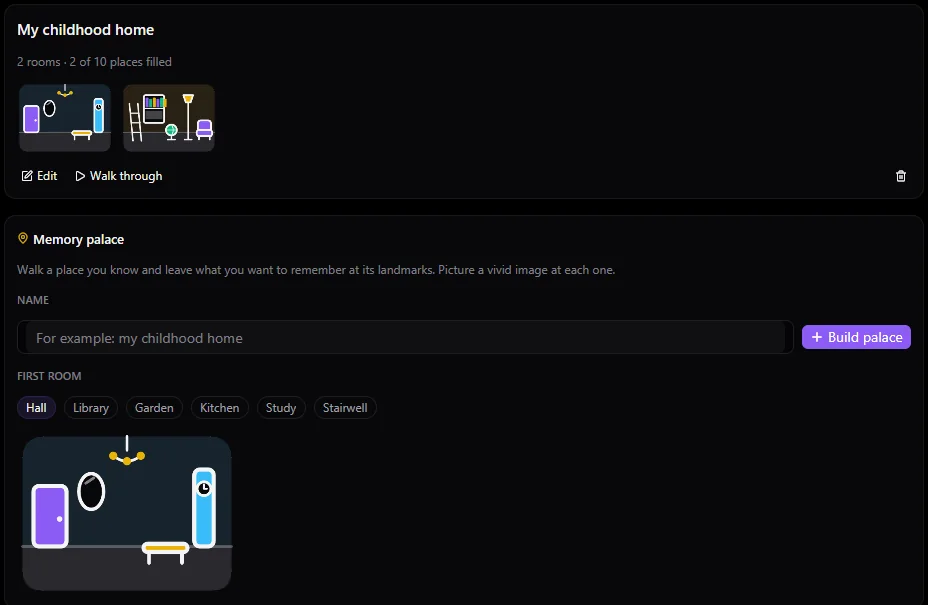
Build a palace
Name it
Under Name, type something you know well ("For example: my childhood home").
Choose the first room
Under First room, pick Hall, Library, Garden, Kitchen, Study or Stairwell.
Build it
Click Build palace or press Enter in the name field. The editor opens.
Each palace card shows its rooms as thumbnails, "N rooms · N of N places filled", and Edit, Walk through and the bin (Delete this palace, at once and without asking).
The editor
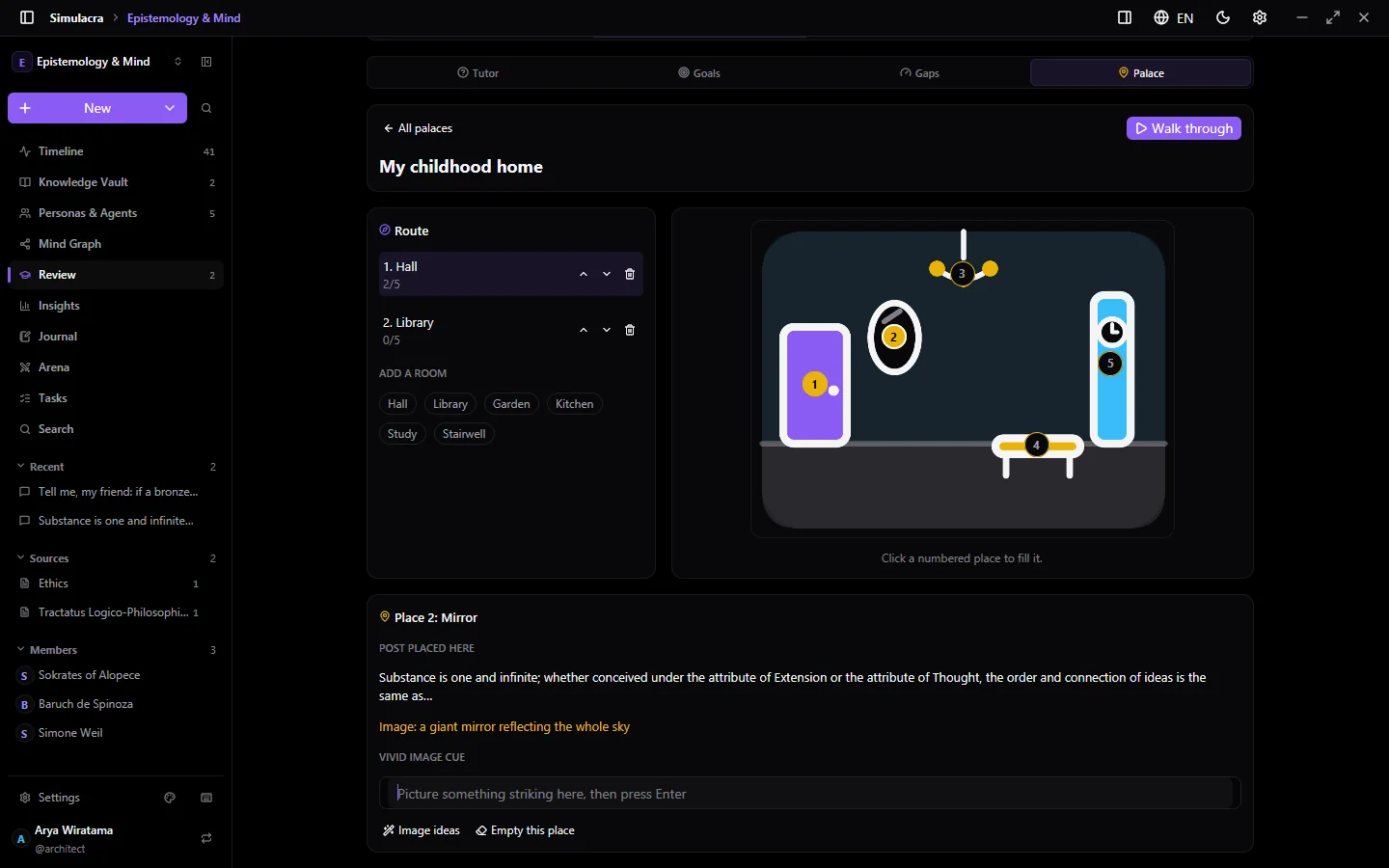
- The head: All palaces and Walk through.
- Route, beside the scene and as tall as it: the rooms in walking order ("1. Hall", with "2/5" filled), each with up, down and remove buttons. Add a room offers the six kinds; a new room goes at the end.
- The scene: the selected room's picture with its five places as numbered markers, filled where something is placed and ringed when selected.
- The place panel, across the full width below: "Place 2: Mirror", then either what to place or what is placed.
Every room kind has five landmarks, left to right:
| Room | Places |
|---|---|
| Hall | Door, Mirror, Chandelier, Bench, Clock |
| Library | Ladder, Shelf, Globe, Lamp, Armchair |
| Garden | Gate, Tree, Fountain, Bench, Birdhouse |
| Kitchen | Stove, Shelf, Table, Sink, Window |
| Study | Bookcase, Painting, Desk, Plant, Window |
| Stairwell | Bottom step, Banister, Portrait, Landing, Window |
Fill a place
An empty place reads Nothing here yet. and offers:
- Place a review item: search your items and click one;
- Place a post…: opens the post picker; click Place here on a row.
Once filled, the panel says Review item placed here or Post placed here with its text, and offers:
| Control | What it does |
|---|---|
| Vivid image cue | "Picture something striking here, then press Enter." Saved as "Image: …" |
| Image ideas | Opens image ideas for the cue; a drawn picture can be set as the cue picture with Use as the cue picture |
| Remove the picture | Takes the picture off the cue |
| Empty this place | Removes what is placed, and its cue |
Placing something new on a filled place replaces it and its cue.
Walk through
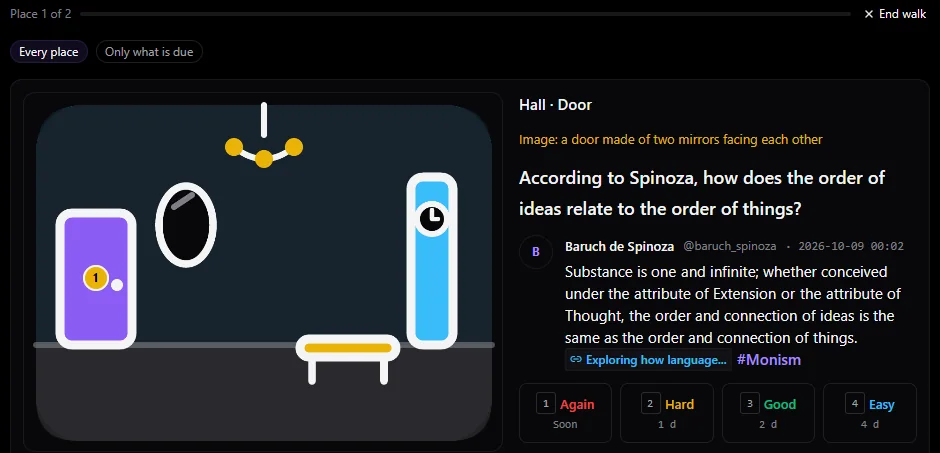
Start
Click Walk through on a palace card or in the editor. Choose Every place or Only what is due (places whose item is due today or new).
Recall
Each stop shows the room with only its current place marked, and "Hall · Mirror". "What did you leave here? Recall it before you look."
Reveal
Click Reveal or press Space. The cue, its picture and what is placed appear.
Grade
Press 1–4 or click a grade. The walk moves to the next place.
The progress row reads "Place N of N" with End walk, which returns to the editor. At the end: "Walk finished: N% recalled." With nothing to visit: Nothing to walk: place items at the places, or walk every place.
A stop with a review item (an item placed directly, or a placed post that is being learnt) is reviewed with your grade and logged as a palace review. A forgotten stop is not repeated: the route stays the route.