 Simulacra
Connection maps
Recall how ideas connect, not only what they say, by redrawing a map of posts, passages and concepts.
A connection map is one review item made of points (posts, vault passages and concepts) and the connections between them. In a review you see the points scattered with no lines, and redraw the connections from memory. It succeeds only when the structure is reproduced exactly, because what you are training is the web, not the pieces.
Make a map
Every map starts from structure that already exists, so you only edit it.
| Start from | How | What is seeded |
|---|---|---|
| Posts you pick | New connection map on the Review header, or the palette command New connection map | The posts, joined by replies, quotes, wikilinks and cited posts |
| A thread | A post's … menu › Learn › Learn this thread's connections | The thread from its first post, joined by replies; titled "Thread: …" |
| A vault entry | Learn connections under the entry's title in the vault | The entry, its related entries (joined to it and to each other where related) and up to three posts that link to it; titled "Around …" |
From posts or a thread, hashtags shared by two posts or more become up to three concept points, joined to the posts that carry them.
Pick posts for a map
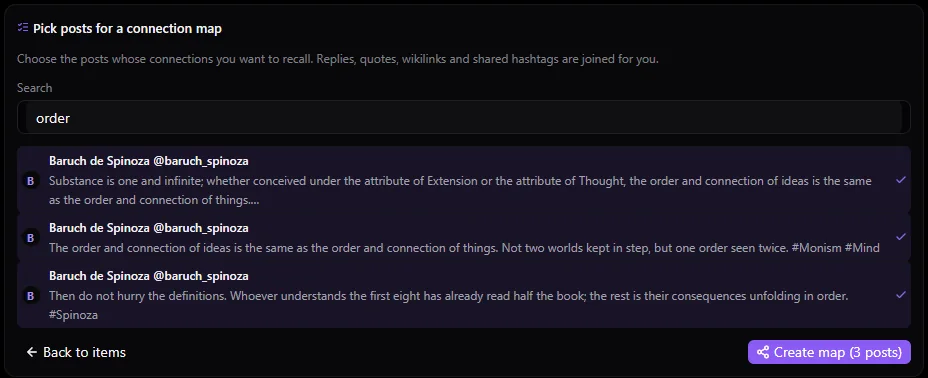
Click a row to add or remove it; picked rows are tinted and ticked. A map holds at most 12 points. Create map (N posts) needs at least two and opens the editor.
The map editor
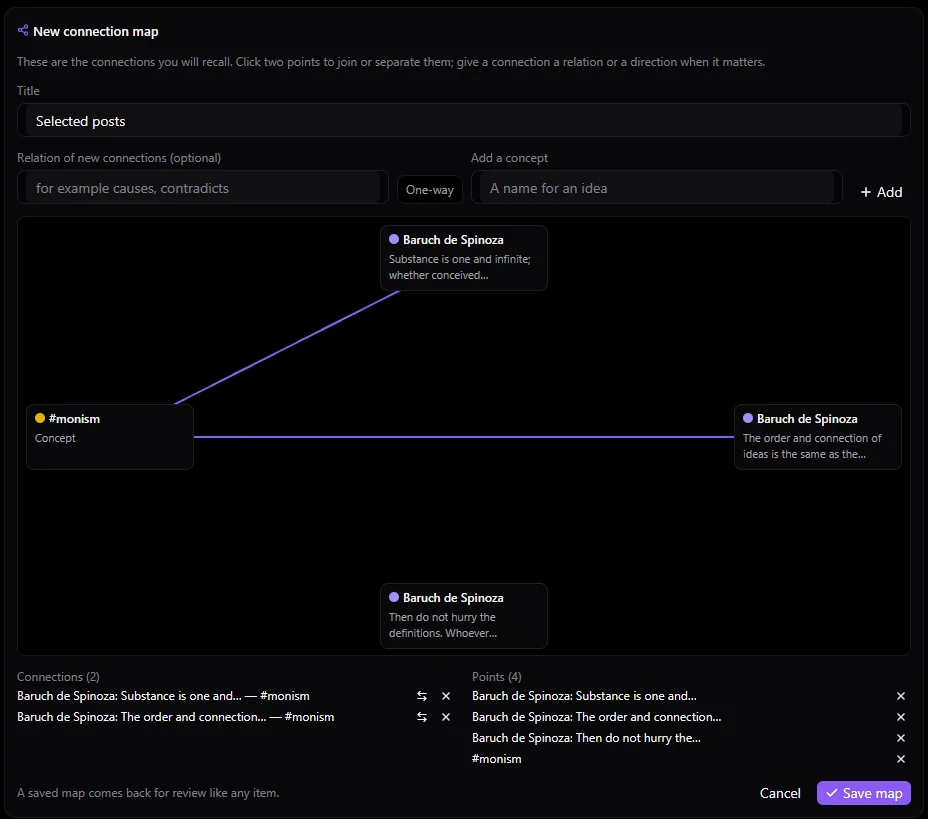
- Title: "What these ideas are about". Left blank, the map is called Connection map.
- The canvas. Points sit on a ring in order, colour-coded like the Mind Graph: posts by author and up to two lines of their opening words (as plain text), passages by document title (The whole document for a document point), concepts by name. Click one point, then another: unjoined points are joined, joined ones are separated. The first point stays highlighted until you click the second.
- One-way: new connections run from the first point clicked to the second, drawn with an arrowhead.
- Relation of new connections (optional): a name such as
causesorcontradicts, given to each connection you draw next and printed on its line. - Add a concept with Add (or Enter): a new concept point, unless the name is blank, already present or the map is full.
- Connections (N) lists every connection as "A — B" or "A → B", with its relation. Change direction cycles undirected → one way → the other way → undirected; Remove connection deletes it.
- Points (N) lists every point; Remove point drops it with its connections.
- Save map ("A saved map comes back for review like any item.") or Cancel. Both return to Items.
A map cannot be saved until it passes three checks:
| Message | Rule |
|---|---|
| A map needs at least three points. | 3 to 12 points |
| A map needs at least two connections. | 2 connections or more |
| Every point needs at least one connection. | A point with no connection would be a free guess in the drill |
To change a saved map later, click Edit on its row under Items. Its schedule is kept.
The drill
When a map comes up in a session, its points are scattered on one ring (two for larger maps) in an order that changes every review, so the layout never gives the structure away.
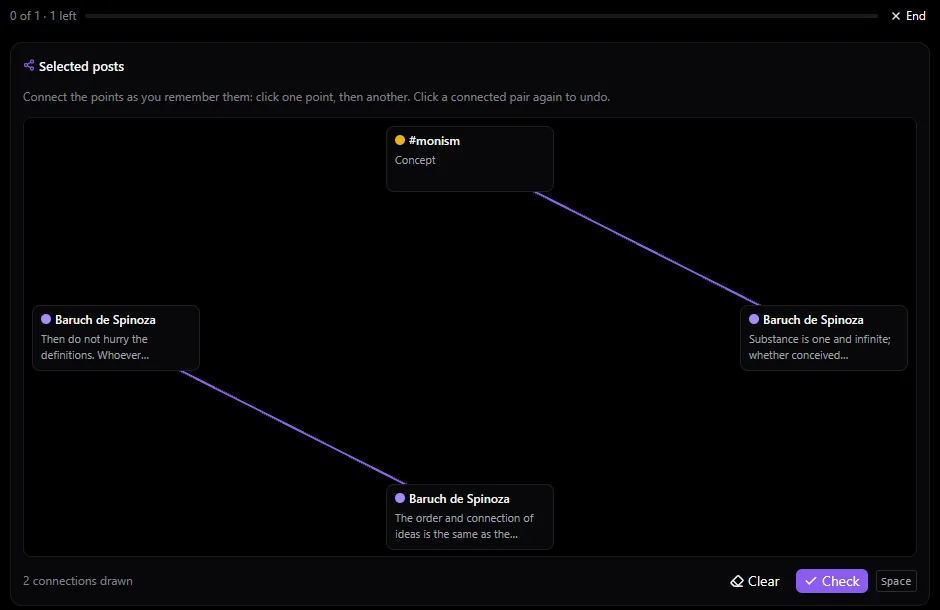
Draw
Click one point, then another, to connect them. Click a connected pair again to take the connection back.
Name relations if the map has them
Under Relation of new connections, pick No relation or one of the map's relations before drawing.
Check
Click Check or press Space. Clear wipes the drawing first if you want to start over.
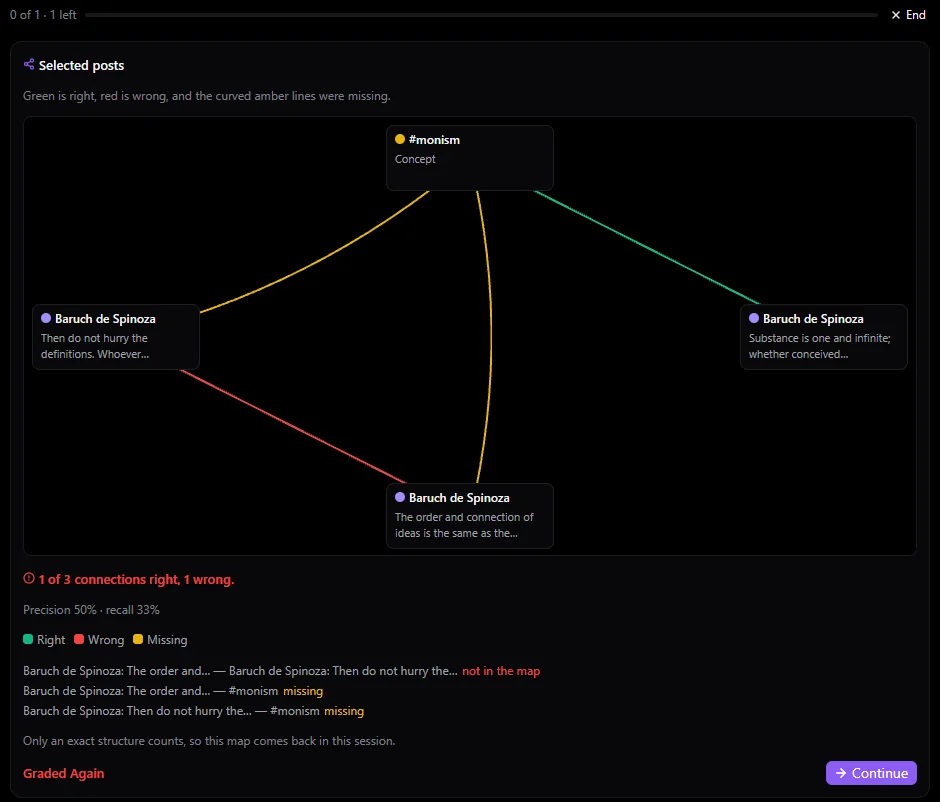
The result block shows:
- the headline: Exact: your connections match the map 100%., or "N of N connections right, N wrong.";
- "Precision N% · recall N%": how much of what you drew was right, and how much of the map you drew;
- the legend Right, Wrong, Missing, and up to six mistakes ("A — B: wrong direction", "not in the map", "wrong relation", "missing");
- "Graded …" and Continue.
A drawn connection is right when it joins the same two points as a map connection, runs the same way when that one is one-way, and carries the same relation when that one is named.
How a drawing is graded
You do not pick the grade: the drawing earns it.
| Drawing | Grade |
|---|---|
| Anything wrong or missing | Again: the map comes back in this session |
| Exact, at most 12 seconds per connection and no connection taken back | Easy |
| Exact, more than 45 seconds per connection | Hard |
| Exact otherwise | Good |
After the check, Continue or any of 1–4 moves on with the earned grade. Space does not, so one press cannot both check and skip the result.
Tips and limits
- A map is never retired: when a post it uses is deleted, that point drops out of the drill.
- Keep relations for the connections where the kind matters; every named relation must be recalled exactly.