 Simulacra
Quizzes
Multiple choice with confidence, free recall typed from memory, and putting a thread or passage back in order.
Quizzes are extra practice beside the daily session. Retrieving an answer strengthens memory more than rereading it, and each quiz adds a different kind of difficulty: telling close look-alikes apart, producing an answer from nothing, or rebuilding a line of thought.

Start a quiz
Click a tile in the Quiz yourself card on the Today tab. The All caught up state, the empty page and the session summary offer quiz buttons too.
A multiple-choice or free-recall quiz asks up to ten of your items: the learnt items you are least likely to recall today come first, then new ones, in a shuffled order. Suspended and retired items and connection maps are left out.
| Mode | Needs | Otherwise |
|---|---|---|
| Multiple choice | At least two posts or passages you are learning, with different answers | Not enough material yet with the reason |
| Free recall | At least one post or passage you are learning | the same |
| Put in order | A thread of three posts or more, or a vault document of a few sentences | the same |
Every quiz has a progress row with Finish, which returns to Today at any point. Answers already given are kept.
Multiple choice
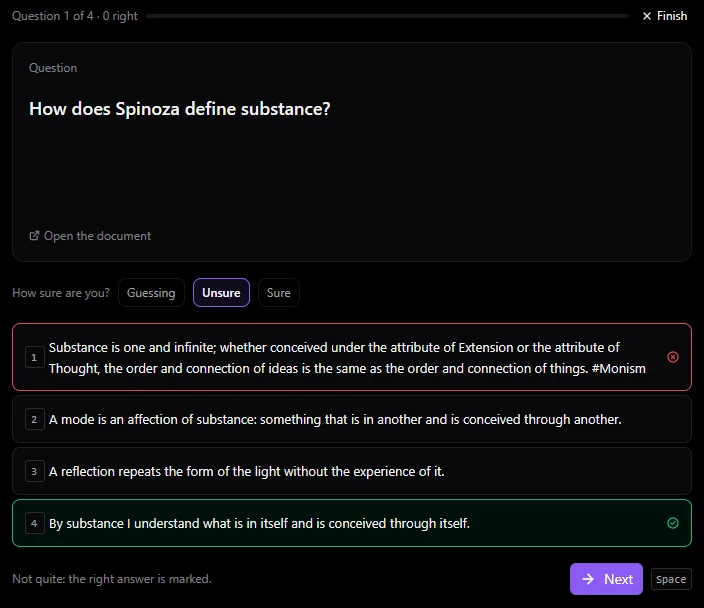
Rate how sure you are (optional)
Under How sure are you?, pick Guessing, Unsure or Sure before you answer.
Pick an option
Read the prompt, then click one of the four options or press 1–4.
See the result and move on
The right option turns green; a wrong pick turns red and the line reads "Not quite: the right answer is marked." Press Space or Enter, or click Next.
The wrong options are other items' answers, chosen to be plausible: first those sharing a tag with the question, then those whose source is closest in meaning (when the meaning index has embedded them), then those of a similar length. Post answers read as plain text (no markup or links to other posts) and are shortened to about 220 characters.
How a multiple-choice answer is graded:
| Your answer | Grade logged |
|---|---|
| Wrong | Again |
| Right, rated Guessing | Hard |
| Right, rated otherwise or not rated | Good |
Recognising is easier than recalling, so a quiz never earns Easy.
Free recall
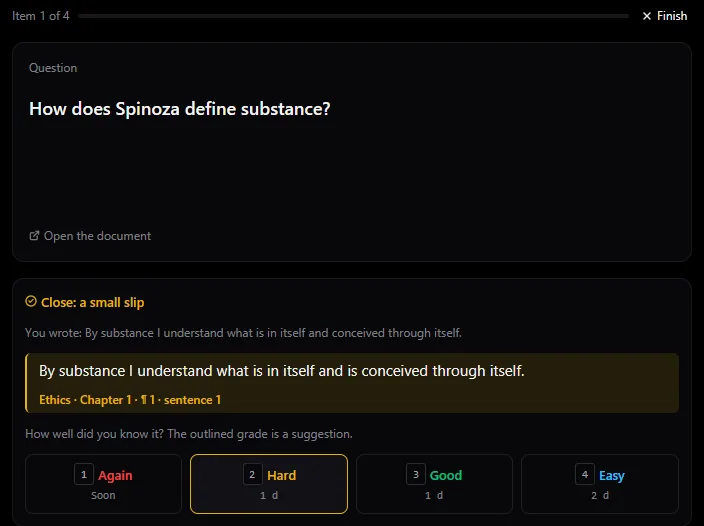
Type the answer
The prompt shows above a text field (Type the answer…). Press Enter or click Check.
Compare
The verdict line appears with "You wrote: …" and the expected answer. Spelling and accents are forgiven: case, accents, punctuation and spacing are ignored, and a typo or two still counts as close.
Grade yourself
Press 1–4 or click a grade. The outlined grade is only a suggestion. The field clears for the next item.
| Verdict | When | Suggested grade |
|---|---|---|
| Exactly right | The answers match after normalising | Good |
| Close: a small slip | At least 80% alike | Hard |
| Not the expected answer | Less alike, or nothing typed | Again |
| Compare it with the source in your own words | The expected answer is longer than 120 characters (a whole post) | Good |
Put in order
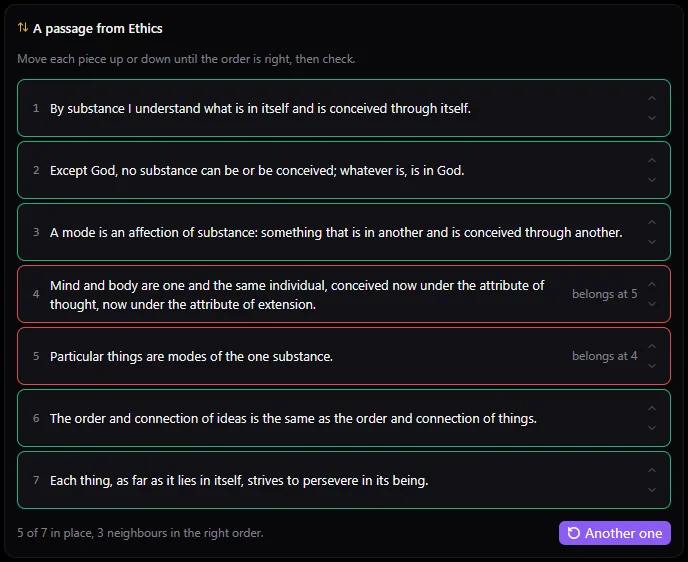
The puzzle takes 3 to 7 pieces: the posts of a thread (a post's parents, then the earliest reply at each step), or consecutive sentences of a vault document. Threads and documents you are learning are tried first, then any of the network. The title says which: A thread or "A passage from …".
- Move a piece with its up and down arrows.
- Click Check order. Pieces in place turn green; misplaced ones turn red with "belongs at N".
- The score reads "N of N in place, N neighbours in the right order.", or "Perfect: all N in place." Neighbour pairs give credit for a run that is only shifted.
- Another one draws a new puzzle. The progress row counts "Solved N of N".
Ordering trains how ideas connect rather than what they say; it is not graded against your items.
The end of a quiz
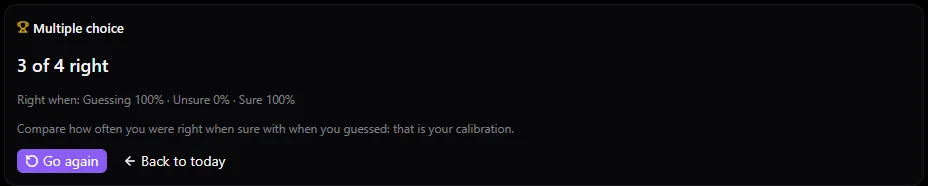
The closing card gives the score ("7 of 10 right" or "6 of 10 recalled"), a calibration line when you rated confidence ("Right when: Guessing 33% · Unsure 60% · Sure 90%"), and a tip on why the mode works. Go again starts a fresh quiz of the same mode; Back to today leaves.
Tips and limits
- Multiple-choice and free-recall answers are applied to the items' schedules and logged like session answers, so they appear in Statistics. Your confidence ratings build its Confidence calibration chart.
- A well calibrated learner is right far more often when sure than when guessing. If "Sure" and "Guessing" score alike, slow down before you answer.