 Simulacra
Concept timeline
Follow each concept over time, from its first mention through its peak to where it stands now, and see what it was mentioned with.
The Concept timeline shows the life of your ideas: when each concept first appeared, when it peaked, whether it is rising, fading or quiet, and which other concepts kept it company. It reads posts, vault documents and review items together, so an idea you studied and an idea you wrote about land on one line.
Where concepts come from
A concept is a hashtag, a wikilink or a recurring term, read by the same concept extractor the rest of the app uses. Three kinds of source count, each on the day it was written:
| Source | What is read |
|---|---|
| Posts | The posts that pass the filter. |
| Vault documents | Title, description and subjects, under the same network and period. |
| Review items | What you wrote, the quoted passage or a map's title, and the tags. |
A concept gets a lane once at least two sources mention it. Up to forty of the most mentioned concepts are tracked.
The lane chart
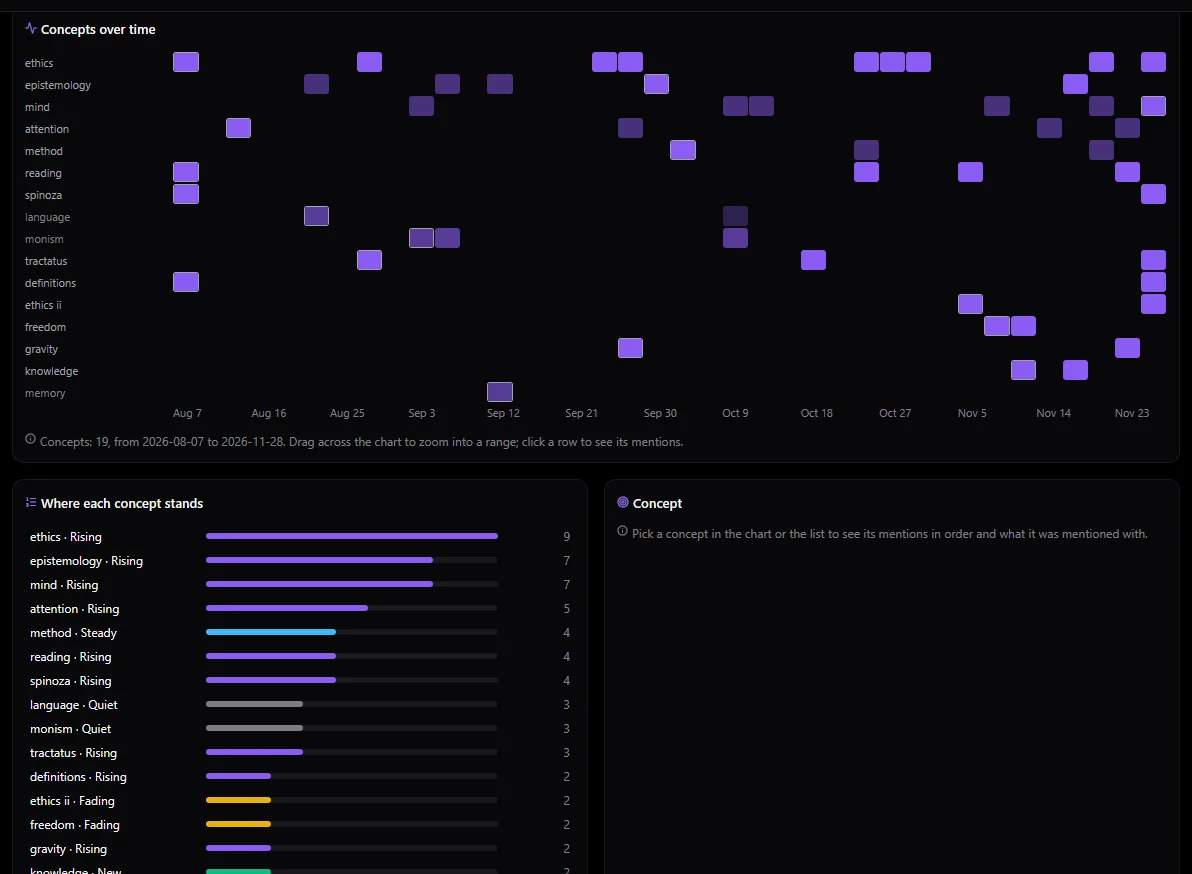
The Concepts over time card draws one lane per concept, busiest in the shown range first: up to sixteen lanes (ten on a narrow page). Each cell is one period; its strength shows how many sources mentioned the concept then. Periods are single days while the span fits forty-eight of them, and groups of whole days otherwise; the axis names months and years when periods are four weeks or longer.
| To | Do this |
|---|---|
| Read a cell | Hover it: the dates, the number of mentions and the concept's phase. |
| Zoom into a range | Drag across the chart. The periods you cover fill the chart; Show all in the card's title returns to the whole span. |
| Pick a concept | Click its lane. Click it again to drop it. |
The summary names how many concepts and which dates are shown.
Where each concept stands
The Where each concept stands card lists the drawn concepts with their phase and their mentions in the shown range. Click a row to pick that concept.
| Phase | Means |
|---|---|
| New | First seen recently: in the last sixth of the span (at least two periods). |
| Rising | Mentioned at least half again as often lately as before. |
| Steady | Neither rising nor fading. |
| Fading | Mentioned at most half as often lately as before. |
| Quiet | No mention for the last quarter of the span (at least three periods). Quiet lanes are drawn muted. |
The picked concept
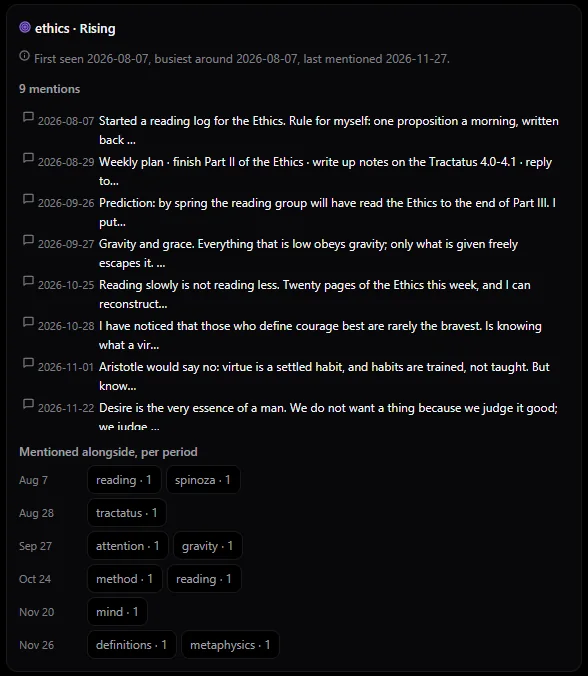
Pick a concept to fill the Concept card:
- Facts: First seen …, busiest around …, last mentioned … (or quiet since …).
- Mentions, in order, up to forty: each with an icon for its kind (post, document, review item), its date and its opening words. Click a post or a document to open it; review items do not open.
- Mentioned alongside, per period: for each period, up to three concepts that appeared in the same sources, with how many. Click one to pick it instead.
Tips and limits
- Without any concept mentioned twice, the tab shows No concepts yet.
- If the picked concept has no mention inside a zoomed range, the card says so; Show all brings them back.
- A new report (after you write, or change the filter) resets the zoom and the pick.
Related
- Sets: which concepts share posts.
- Spaced repetition: where review items come from.
Tensions
Find posts and vault passages that may contradict each other, read the AI's verdict, and reconcile, resolve or dismiss each pair.
Viewpoint diversity
Measure how varied the voices, stances, schools and meanings in a network are, what you mostly read lately, and how varied your vault reading is.