 Simulacra
Garden and series views
Your garden notes in beds by how mature they are, and every series with its parts in order and its progress.
Planted notes leave the stream, and series parts are scattered through it. These two views bring each back together. To plant a note or start a series, see Garden and series.
Garden
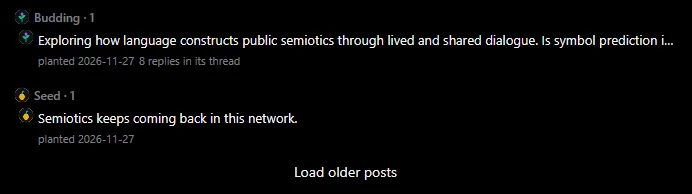
Pick Garden from a View menu. On your own profile it shows every note you planted; in the Thread Inspector, the notes in that thread.
- Beds by stage, the most mature first: Evergreen, Budding, Seed, each headed "Budding · 2". A stage with no notes has no bed.
- Notes, in each bed the most recently tended first (when its stage last changed, or when it was planted). Each shows its stage's drawing, its text on one line, "planted 2026-11-02", and "3 replies in its thread" when it has replies.
Click a note to open it. A locked note shows "Locked post".
Empty: "Nothing planted yet. Promote a post to the garden from its menu, and it grows here, outside the stream."
Series
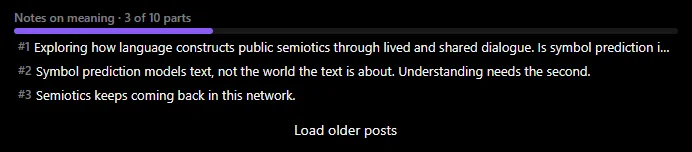
Pick Series from a View menu.
- Each series among the posts in view, the one added to most recently first, headed by its title and either "12 of 30 parts" (when it has a goal) or "12 parts", over a thin progress bar.
- Parts in number order, "#12" then the part's text on one line.
Click a part to open it. A locked part keeps its number and shows "Locked post".
Empty: "No post here is part of a series yet. Add one from its menu with “Add to a series”."