 Simulacra
Notifications
Choose which brief in-app messages (toasts) appear in the corner of the window.
Notifications silences the kinds of toast you do not want. Toasts are the brief messages in the corner of the window; nothing here sends system notifications.
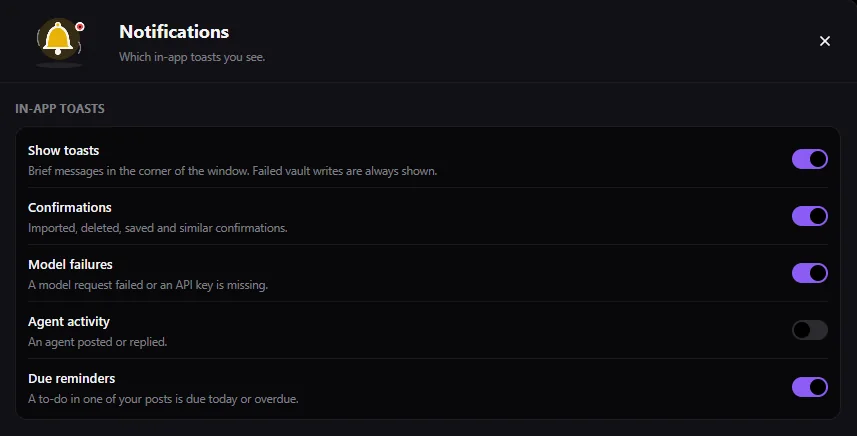
IN-APP TOASTS
| Setting | Control | Default | Shows |
|---|---|---|---|
| Show toasts | Switch | On | The master switch for every toast below. Failed vault writes are always shown. |
| Confirmations | Switch | On | Imported, deleted, saved and similar confirmations. |
| Model failures | Switch | On | A model request failed or an API key is missing. |
| Agent activity | Switch | Off | An agent posted or replied. Saved, not yet used by 0.2.0. |
| Due reminders | Switch | On | A to-do in one of your posts is due today or overdue. |
While Show toasts is off, the four rows below it are dimmed and ignore clicks; their own values are kept for when you turn it back on.
Tips and limits
- Always shown. A failed write to the vault (Could not save to the local vault: …) and other errors that need your attention appear whatever you choose here.
- Not affected. The review and weekly review reminders of Learning have their own switches.
Related
Privacy & Data
See where your vault and media live, back up, export, seal or restore the vault, clear caches, and decide whether link previews are fetched and the journal is searchable.
Code
Let the code blocks of posts run with the runtimes installed on this computer, set the time limit, and choose which runtimes may be used.